
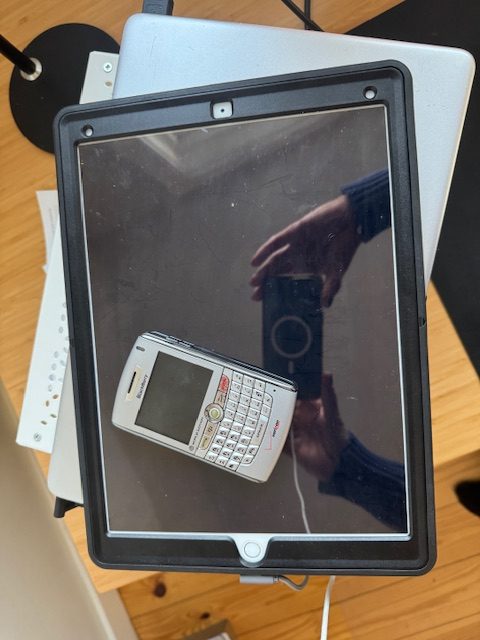
When I think of the various categories of things in my house that really need to be gone through with a very wide tooth comb, one of the first things I think of are electronics, and their assortment of chargers and peripherals that I have here, there and everywhere. I suppose a primary reason for still having some of this is because what if I ever need it in the future? I’ve said before that Jay attributes that mindset to people who lived through the Great Depression, passed down to their children, and perpetuated now to the rest of us.
After a recent story on decluttering paper, I had a letter from a reader that said “I’m writing to you because you mentioned in your video about doing an electronics cleanout at some future date. I’m hoping you can include old cell phones in your next article. I think I have every single cell phone I’ve ever had in fear that any personal data or old pictures will get into some psychos hands. Is there a safe way to dispose of these things? I have old Blackberries, Palm Pilots, and flip phones, to name a few.
Well, again, a reader is speaking my language. We have a library in our house – – actually just a grouping of bookshelves, but we call it ‘the library’. Up until very recently, I had a little vignette set up with my first Blackberry, next to an ancient piece of stone with some kind of hieroglyphics on it. That would be the perfect photo for the story, except someone must’ve moved them (maybe Jay decluttered it on me). I don’t think I’ll ever write a story about decluttering your grandfather‘s ancestral relics and other weird items. We have all of them. I might leave that to the kids to deal with.
Then, thinking about this story, I got really irritated that my iPad, which I think is about eight years old at this point, has a tough time holding a charge. I decided to treat myself to a new battery. That turned out to be a complete runaround. During the research for the story, I learned all the things I should do: a complete backup, log out of my Apple ID and iCloud accounts, remove the Find My feature, and do a factory reset to basically make it like new. I did all that, and made an appointment at Best Buy. I was walking on sunshine because I figured even if I had to leave my iPad at the store for a few days, my personal information was no longer on it, and upon its return, my iPad would be like new.
I sure called that wrong, because as soon as I walked into my appointment, the Geek Squad guy looked at it and said we don’t make repairs on Apple products. I very nicely said—well then why did they let me make the appointment? His response was I don’t know, we still take appointments. This made no sense to me, and I wasn’t happy at all to have driven all the way to Best Buy to immediately, before I even put it on the counter, be told they don’t work on them anymore. This is after I entered all the information in setting up the appointment, so it should have been no surprise to them that it was an iPad, the age of it – – clearly an Apple product, etc. He told me some local Walmarts replace Apple batteries. I called one, and the not-particularly-friendly man who answered the phone told me to expect it to be about $250, at which point, I brought my geriatric iPad back home, thinking maybe now that I’ve given it a factory reset it’ll have a little more vim. We’ll see. Below is some information on general practices for disposing of/recycling, electronics, and information on some upcoming events. Let me know if you hear of any other local options!
1. Back Up Everything First Before you do anything else, back up your photos, contacts, documents, and apps to a new device or cloud storage. Once you wipe a device, that data is gone for good.
2. Sign Out of All Accounts Log out of every account on the device — Apple ID/iCloud, Google, social media, banking apps, email. This is especially critical for phones and laptops, which are often tied to two-factor authentication.
3. Perform a Factory Reset On phones: go to Settings → General → Transfer or Reset → Erase All Content. On laptops: reinstall the operating system and choose the option to fully erase the drive. A factory reset alone isn’t always sufficient — see #4.
4. Physically Destroy or Professionally Wipe Your Hard Drive A factory reset can sometimes be reversed with recovery software. For laptops especially, consider having the hard drive professionally wiped (a DoD-level wipe) or physically shredded. Several local services offer certified data destruction.
5. Remove SIM and Memory Cards Pull out any SIM card and SD/memory card from your phone before recycling it. These small cards hold a surprising amount of personal data and are easy to overlook.
6. Deregister Your Device For iPhones, turn off iMessage and FaceTime before wiping. For Android, remove your Google account. For laptops, deauthorize any software licenses (Adobe, Microsoft Office, iTunes/Apple Music, etc.) tied to that machine.
7. Never Throw Electronics in the Trash Massachusetts law prohibits disposing of many electronics in regular trash or recycling bins. Electronic devices often contain hazardous materials such as lead, mercury, and cadmium, which can harm the environment if not disposed of properly. The Recycle Guide Tossing them in the bin is both illegal and harmful.
8. Choose a Certified Recycler Not all recyclers are equal. Look for recyclers certified under the R2 (Responsible Recycling) or e-Stewards standards — these certifications ensure your device is handled responsibly and not shipped overseas to unregulated facilities.
9. Consider Donation If the Device Still Works A working phone or laptop can have a second life. Goodwill and Salvation Army locations throughout the Worcester area accept electronics donations. Just make sure you’ve fully wiped the device first (see tips 3 and 4).
10. Keep a Record For your own peace of mind — especially if you’ve had work email or sensitive financial information on a device — ask for a Certificate of Data Destruction from your recycler. Several local services provide this automatically.
I found the information below in an internet search, so double check before you drive anywhere! *Thanks a lot, Best Buy.
📅 Worcester YMCA Electronics Recycling Event (April 25!)
Open to residents from any town — no restrictions.
Saturday, April 25th, 9am–2pm in the Central Community Branch YMCA parking lot, 766 Main St, Worcester. Accepting all electronics, appliances, and anything with a plug or batteries. Laptops are $5. Hard drives can be removed on-site for an additional charge. Cash preferred; checks accepted for amounts over $30. Patch
📅 Leominster Free Recycling Event (May 16!)
Hosted by the Leominster DPW and Health Department — and the list of what they’ll take for free is remarkably long.
Saturday, May 16, 2026 · 9am–1pm Leominster DPW Yard · 109 Graham Street, Leominster
Free drop-off includes cell phones, laptops, hard drives, computer towers, iPads, cameras, printers, gaming consoles, and just about anything else with a cord or a circuit board. On-site shredding is also available — bring old bills, receipts, and tax documents while you’re at it. TVs and computer monitors are accepted for a fee. This event is sponsored by city departments, so it may be intended for Leominster residents — call ahead to confirm if you’re coming from out of town.
- Phone: 978-962-3558 or 978-962-3562
- Facebook: LeominsterCityHallBoardOfHealth
- Website: leominster-ma.gov
♻️ Wachusett Watershed Regional Recycling Center
For residents of Boylston, Holden, Paxton, Princeton, Rutland, Sterling, and West Boylston only
Open to residents of these seven towns Wachusettearthday — if you’re in one of them, this is your most convenient and community-rooted drop-off option.
- Address: 131 Raymond Huntington Highway, West Boylston, MA 01583
- Hours: Summer (April–October): Tues 9–11am, Thurs 4–6pm, 1st & 3rd Saturday 9am–noon. Winter (November–March): Tues 10am–noon, Thurs 2–4pm, 1st & 3rd Sat 9am–noon. Rutlandma
- Phone: 978-464-2854
- Website: wachusettearthday.org
- Note: Small fees apply for some items. Call or check the website before heading over.
🖥️ Tech Tree Recyclers — Leominster
A certified e-waste and computer recycling center with year-round drop-off and pickup services — a solid option for readers in the northern part of the region.
- Accepts computers, laptops, printers, keyboards, mice, and more. Drop-offs welcome; call for current operating hours. Pickup services also available. Recycle Smart
- Address: 1771 Lock Drive, Suite 1, Leominster, MA 01453
- Phone: (978) 549-2222
- Website: techtreerecyclers.com
🖥️ Data Recycling of New England — Worcester Area
Secure data destruction and e-waste recycling, serving businesses and residents throughout the region.
- Serves Worcester and surrounding Central Massachusetts communities including Shrewsbury, Auburn, Leicester, Millbury, Grafton, and West Boylston. Offers both on-site and off-site hard drive shredding with a certificate of destruction. Datarecyclingne
- Additional spring collection events are being scheduled now — check their website for upcoming dates. Datarecyclingne
- Website: datarecyclingne.com
🌐 Best Buy (Year-Round Drop-Off — No Purchase Required)
Best Buy accepts most consumer electronics for recycling at all locations. There are stores in Worcester (Greenwood Street), Leominster, and Millbury — spread across the region for easy access no matter which direction you’re coming from.
- Website: bestbuy.com/recycling
📱 Manufacturer Take-Back Programs
Free mail-in and in-store recycling — available to everyone regardless of location.
- Apple: apple.com/shop/trade-in
- Samsung: samsung.com/us/smartphones/trade-in
🏚️ A Note on Town Transfer Stations
Many towns in Central Massachusetts have their own solid waste drop-off centers, but these are almost always restricted to residents and vary widely in what electronics they accept. It’s worth a quick call to your town’s DPW or a search for “[your town] solid waste drop-off” to find out what’s available to you locally.
The bottom line: wipe it, then recycle it responsibly. With two upcoming events this spring — Worcester on April 25th and Leominster on May 16th — and year-round options spread across the region, there’s no good reason for that old laptop to keep collecting dust in the corner.